
A household subscription audit starts with one question: what are we still paying for, and does anyone in the family actually use it? I recommend checking a full year of charges, tracing each payment to its owner, and deciding whether to keep, change, or cancel the service. That catches more than a quick glance at the apps on your phone, because an unused subscription can keep renewing long after its app disappears.
In our household, Ben handles recurring bills and I handle the account side of digital life. It's a sensible split until a streaming plan renews through one person's Apple account, a school service bills a card, and an annual software renewal arrives in an inbox neither of us checks often. Those are familiar possibilities in a household with two adults, two children, and several devices—not a claim that every one of those charges appeared on our statements. The answer is not another elaborate budgeting dashboard. It's a small, repeatable check with a clear owner for each decision.
Start With the Charges, Not the Apps
When I worked in IT support, I learned that a list of installed software never tells the whole story about access or ownership. The same reasoning applies here. An app icon is not proof that a paid plan exists, and deleting an app is not the same as canceling its subscription.
I would collect 12 months of transactions from the cards, checking accounts, and payment services actually used for household spending. A shorter window can miss annual renewals. If reviewing a year feels overwhelming, start with three months and mark the annual-charge check as unfinished rather than pretending the list is complete.
Search the statements for recurring merchants and uncertain descriptions. Then check places where subscriptions may be billed separately: Apple subscriptions, Google Play subscriptions, Amazon memberships, streaming providers, and services billed directly on their websites. A charge labeled by a payment processor may need another step to identify the underlying merchant.
Before judging a payment, write down what you know. I use a simple record rather than copying sensitive billing details into a shared document.
Service | Amount and cadence | Charged through | Account owner | Decision |
|---|---|---|---|---|
Example streaming plan | $12/month | Website | Ben | Review use |
Example school app | $30/year | App store | Lauren | Check school need |
Example cloud plan | $3/month | Apple | Lauren | Check overlap |
These amounts are illustrations, not charges from our household or current provider prices. Leave out full card numbers, passwords, and recovery codes. A short merchant label or last four digits of the payment card, where appropriate, is enough to distinguish similar charges.
Make the Decision With the People Who Use It
Saving money on subscriptions is a useful goal, but canceling everything underused is not a particularly good family strategy. Maya's school activities can involve a service that matters intensely for one season and barely at all for the rest of the year. A family photo service might be quiet for weeks while still protecting memories people care about.
I would ask three questions for each charge:
Who uses this, and for what? An adult should be able to name the purpose, even if the account belongs to a child.
What would break if we removed it? Check saved files, family sharing, school access, and any discounted bundle before changing a plan.
Is there a simpler way to get the same benefit? A free tier, smaller plan, or one shared household membership may be enough—if its terms permit sharing.
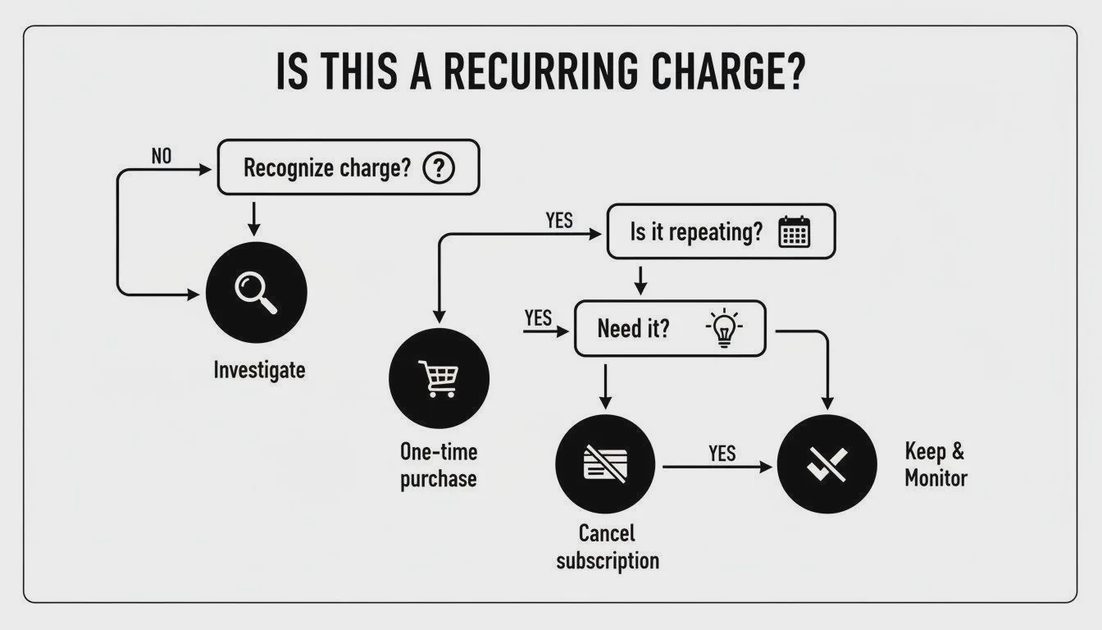
A service belongs in one of four categories: Keep, Downgrade, Cancel, or Investigate. “Investigate” is not a failure. It stops you from making a rushed change to an account you do not fully understand.
For an easy example, suppose two adults pay $9 and $12 per month for overlapping services. If one plan can legitimately serve the household and the other is canceled, the potential annual reduction is $108 or $144, depending on which plan remains. That is arithmetic, not a promise: shared access rules, missing features, or cancellation fees could erase the benefit.
Find the Account That Actually Controls the Renewal
The annoying part of a household subscription audit is often not deciding what to cancel. It is finding where the renewal lives. An iPhone app might have been purchased through Apple, while the same provider's website manages another member's direct subscription. Ben's Pixel uses a different app ecosystem than my iPhone, and Maya's school Chromebook adds another source of account emails.
For an uncertain charge, I check the receipt or bank descriptor first, then search email using the merchant's name alongside words such as “renewal,” “receipt,” and “invoice.” The billing account—not necessarily the device where the app appears—is usually the place to investigate. If I still cannot identify it, I contact the provider or payment institution through an official channel before disputing a legitimate charge.
Useful starting points for current cancellation procedures are the provider's own account or billing help pages. An article explaining how to cancel Audible, how to cancel HBO Max subscription, or how to cancel iCloud subscription can point you in the right direction, but menus and billing arrangements change. Follow the instructions for your payment route, and save the actual confirmation.
Deleting an app, removing a payment card, or merely stopping use should never be treated as confirmation that future charges will stop.
A Cancellation Is Not Finished Until You Check What You Lose
I wouldn't touch a cloud storage or family service until someone had reviewed its dependencies. If a plan ends, will you lose access to additional storage? Could a family member lose an account benefit? Is there content to download or an alternative service to set up? These decisions deserve more care than dropping an unused entertainment trial.
My safer sequence is:
Identify who pays and who uses the service.
Check renewal date, cancellation terms, remaining benefits, and any stored data.
Make a backup or migration plan when needed.
Cancel or downgrade through the correct billing channel.
Save a confirmation and check the next statement for an unexpected renewal.
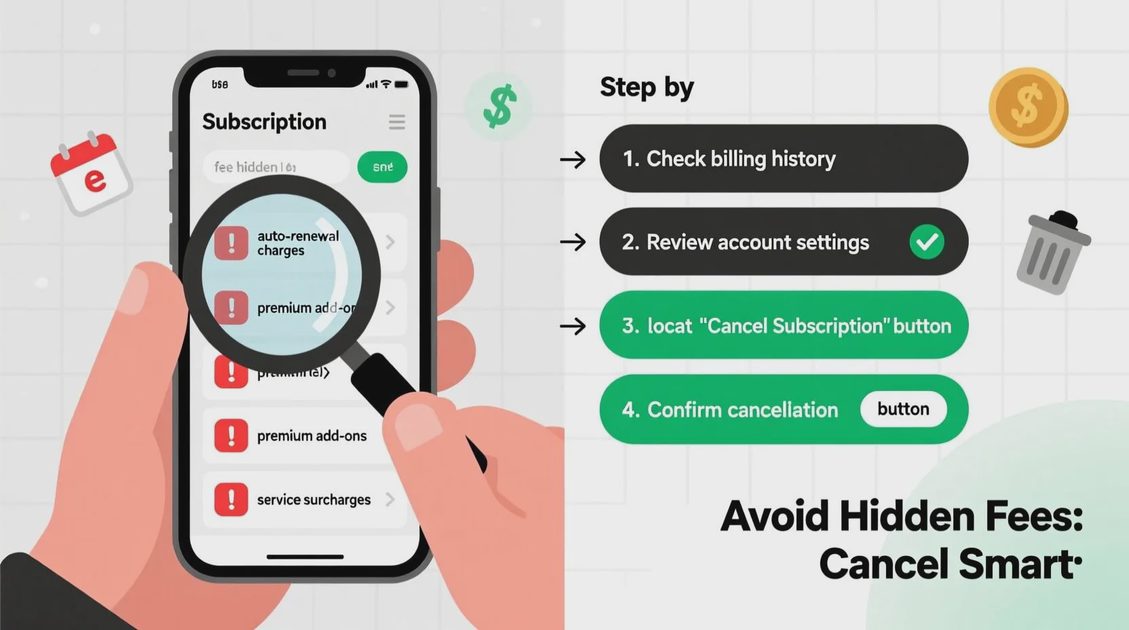
Notice what the sequence doesn't include: deleting accounts immediately. Cancellation and account deletion are different decisions. Keeping access to old invoices or a school receipt may be more useful than achieving a perfectly empty login list.
The Annual Review, Plus One Small Maintenance Habit
Ben's role in our family is everyday operations: bills, appointments, and physical household tasks. Mine is making the account system understandable. For a subscription check, that translates into a simple division of labor. One person gathers the charges; the other confirms who owns the logins and whether a plan supports something important. We can then make decisions together instead of guessing about each other's apps.
I would reserve a larger review once a year, ideally before several predictable renewals or a season when household expenses change. The fifteen-minute Sunday digital reset that fits our family rhythm is not a second full audit. It is just a place to file a new receipt, note a trial end date, or write “ask Ben about this charge.”
Here is the quick annual checklist I would keep with the family account inventory:
Review transactions far enough back to catch yearly renewals.
Check Apple, Google Play, Amazon, direct-billed services, and other payment routes actually used.
Record owner, payment channel, cadence, and next renewal date.
Ask the household what still matters.
Mark Keep / Downgrade / Cancel / Investigate.
Protect important files or shared benefits before changing a plan.
File cancellation confirmations and verify subsequent charges.
There is one trade-off I am happy to make: I will keep a slightly imperfect list if it is easy for Ben and me to update. A complicated finance workspace that only one person understands would bring us back to the same problem we're trying to solve.
You do not have to cancel ten services to make an audit worthwhile. Today, find one recurring charge you cannot immediately explain, identify which account controls it, and add that answer to your household list. Even if you keep the subscription, you have removed one small uncertainty from your digital home.